Gray Zone Warfare Twitch Drops: Rewards & Claim Guide
Get Gray Zone Warfare twitch drops with this Rogue Ops guide to campaign dates, reward packs, account linking, claims, and apparel that survives wipes.
Jump to
How to Get Gray Zone Warfare Twitch Drops
Gray Zone Warfare twitch drops let you stock up on equipment, collect Hideout resources, and unlock exclusive clothing while watching live gameplay. The distinction matters: supply packs go to one character and are lost during progression wipes, while apparel stays available across your characters. To earn Gray Zone Warfare twitch drops during Rogue Ops, connect Steam and Twitch, watch an eligible livestream, and claim each completed reward before its campaign ends.
The campaign accompanies Update 0.5, which adds Hideout building, crafting, smuggling, and multiple playable characters. Its rewards fit that update: weapons and medical supplies for deployments, materials for your growing operation, and clothing for the rogue PMC look.
Start with account pairing before settling into a stream. You need both a Twitch account and a Steam account, and you must own Gray Zone Warfare on Steam to receive the items.
| Step | What to do | What to check |
|---|---|---|
| Pair accounts | Connect Steam and Twitch through the game's account-pairing page | Reach the “Pairing successful” step |
| Enable participation | Enable Drops in your Twitch account settings | Use the Twitch account paired with Steam |
| Choose a livestream | Watch Gray Zone Warfare with Drops enabled | Look for the “DropsEnabled” tag |
| Track rewards | Open “Drops & Rewards” from your Twitch profile | Check progress for the campaign you want |
| Claim completed Drops | Claim the reward on Twitch | Finish claiming before that campaign ends |
| Receive the items | Check your in-game chats for the reward message | Leave any Custom Server before checking delivery |
Use the Gray Zone Warfare account-pairing page to connect your accounts. If either account is already connected to a different account, remove that existing connection before pairing the intended accounts.
Watching completes the requirement; claiming collects the reward. Return to your Drops inventory during the campaign instead of assuming completed rewards have already reached your character.
Rogue Ops Campaign Dates and Stage Schedule
The Rogue Ops campaign runs from October 22 through November 6, 2026, across five consecutive stages. As of October 23, Stage 1 is underway, with its window ending October 25.
Gray Zone Warfare twitch drops also include a separate MADFINGER campaign for developer livestreams. That campaign runs alongside the staged rewards, so check which campaign a stream supports before committing your viewing time.
| Campaign | Start date | End date | Eligible broadcasts |
|---|---|---|---|
| Rogue Ops overall campaign | October 22, 2026 | November 6, 2026 | Gray Zone Warfare streams with Drops enabled across five stages |
| Rogue Ops — Stage 1 | October 22, 2026 | October 25, 2026 | Eligible Gray Zone Warfare livestreams |
| Rogue Ops — MADFINGER | October 22, 2026 | November 6, 2026 | Official Gray Zone Warfare livestreams |
Stage 1 starts at 18:00 CEST on October 22 and ends at 13:59 CET on October 25. The MADFINGER campaign shares that start time and ends at 13:59 CET on November 6.
Keep those time-zone labels in mind when planning your final viewing session. The campaign crosses the European change from summer time to standard time, so the displayed schedule uses both CEST and CET.
Check each active campaign's deadline in Twitch, and claim completed rewards before that deadline. The overall November 6 end date does not extend Stage 1.
Plan around individual stages. Each stage contains different packs, so return throughout the event if you want rewards from more than the opening window. Check the active stage whenever you resume watching rather than treating the full campaign as one continuous reward track.
Rogue Ops Rewards: Weapons, Hideout Packs, and Apparel
Gray Zone Warfare twitch drops split into practical supplies and lasting character customization. Starter Packs contain equipment, medical items, and newly introduced firearms. Hideout Packs supply resources for building and upgrading your operation.
Stage 1 features the FAMAS and UMP alongside magazines, medical supplies, binoculars, construction materials, and two Hawaiian shirts. The MADFINGER campaign has its own Hideout resources and an MFG Tactical T-shirt.
| Reward group | Campaign | Featured contents |
|---|---|---|
| Starter Pack | Stage 1 | FAMAS, UMP, FAMAS Magazine, UMP Magazine, Medium Blood Bag, surgical and suture supplies, binoculars |
| Hideout Pack | Stage 1 | Steel, Electrical Parts, Mechanical Parts, PC fan, Plumbing Parts, Ammonium Chloride |
| Apparel | Stage 1 | Tropical Vice Shirt and Sunset Patrol Shirt |
| Hideout Pack | MADFINGER | Electrical Parts, Mechanical Parts, Plumbing Parts, Opium Gum |
| Apparel | MADFINGER | MFG Tactical T-shirt |
Why the Hideout materials matter
Rogue Ops gives collected resources a larger role through three Hideout rooms: the Laboratory, Electronics Workshop, and Utility Room. Each room has three upgrade levels in this iteration.
The Laboratory produces specialized substances, including medical products and drugs. The Electronics Workshop handles mechanical and electronic components, while the Utility Room supplies electricity for Hideout equipment.
Crafting also introduces hacking tools in three tiers, and recipes must be unlocked before their corresponding items can be produced. Keep that distinction in mind when collecting materials: having resources and having an unlocked recipe are separate requirements.
Check your current Hideout requirements before using your supplies. Match the resources in a pack to the construction, upgrades, or production you are working toward.
Developer livestream rewards
The MADFINGER reward track requires official Gray Zone Warfare livestreams. Watching another eligible channel can earn the active stage's rewards, but the developer campaign has its own broadcast requirement.
For Gray Zone Warfare twitch drops, check both the reward and the eligible stream. If you want the MFG Tactical T-shirt, watch an official developer broadcast with the relevant campaign active.
The gold Twitch chat badge
The campaign also includes a gold Gray Zone Warfare Twitch chat badge through Support a Streamer. This requires purchasing or gifting a subscription on selected participating channels during the event.
Prime subscriptions do not count toward Support a Streamer rewards. Regular viewing Drops do not require Twitch Prime or a subscription.
Check that the channel participates in the badge promotion before purchasing or gifting a subscription. General Drops eligibility and Support a Streamer participation have different requirements.
Choose Your Character Before Taking Consumable Packs
The character you use matters when collecting Gray Zone Warfare twitch drops. Each consumable pack can be claimed once, on a single character. Apparel works differently: clothing rewards are available across all your characters.
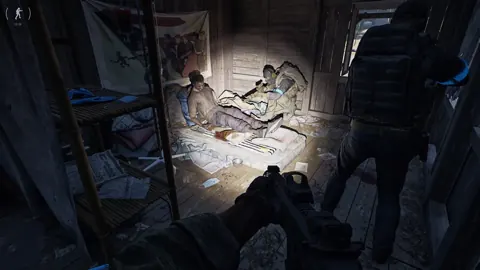
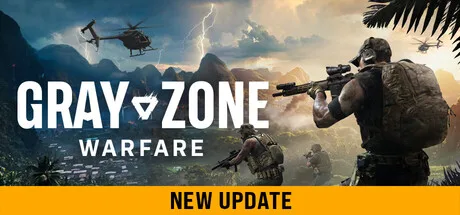 Image: Steam / MADFINGER Games, a.s.
Update 0.5 supports up to four playable characters per account. Each has a selected faction and game mode, with separate progression for Joint Operations PvE and Warfare PvEvP.
That makes the pack decision more consequential than choosing an outfit. Put supplies on the character whose deployments and Hideout you intend to support.
| Reward type | Character access | Progression-wipe behavior |
|---|---|---|
| Consumable packs | Each pack is claimable once on one character | Consumable items are lost during progression wipes |
| Apparel | Available across all your characters | Retained through progression wipes |
| Summer campaign helmets and glasses | Planned to be resent to players who originally earned them after Update 0.5 | A temporary replacement arrangement |
| Wayfarer (Agent) and Recon Plate Carrier (Agent) | Rogue Ops campaign equipment | Planned to become permanently available |
The lasting value of apparel makes those rewards worth keeping on your checklist. Tropical Vice Shirt, Sunset Patrol Shirt, and MFG Tactical T-shirt belong to the clothing category, which carries across characters and future updates.
Consumable packs serve a different purpose. They provide usable supplies for your current progression, including firearms and materials. Choose their recipient carefully rather than expecting every character to receive another copy.
The Wayfarer (Agent) and Recon Plate Carrier (Agent) have a separate permanent-availability plan. Keep that distinction separate from the standard consumable-pack rules.
Update 0.5 itself uses a soft wipe: completed tasks, rank, unlocked apparel, vendor levels, and statistics carry over, while locker contents and money are wiped. When transferring existing progression into 0.5, players must choose its game mode; that choice is irreversible, and the faction stays the same.
Track Progress and Fix Missing Drops
Start troubleshooting Gray Zone Warfare twitch drops in the Twitch Drops inventory. Check whether the reward is still progressing, ready to claim, or already claimed. Those states tell you whether to keep watching, collect the reward, or investigate delivery.
Watch one active channel at a time. Opening several broadcasts simultaneously does not accelerate your progress. Recorded broadcasts do not count either; rewards require eligible livestream viewing.
Use this checklist when progress or delivery seems stuck:
- Confirm the broadcast is live and has Drops enabled.
- Check that you are watching through the paired Twitch account.
- Open “Drops & Rewards” and inspect the relevant campaign.
- Claim completed rewards before the campaign deadline.
- Verify that the paired Steam account owns Gray Zone Warfare.
- Leave a Custom Server before checking for the in-game reward message.
After claiming, allow up to 10 minutes for items to appear in your Steam inventory. If nothing appears after 30 minutes, check the Steam and Twitch connection again. An account that was not connected when you claimed can explain missing delivery; connect the accounts, then check for the reward again.
Custom Servers have a specific delivery limitation: Twitch reward messages do not arrive while you are playing on one. Leave the Custom Server to receive the message.
If the issue persists after checking pairing, claiming, ownership, and server type, use MADFINGER Games support through the game's official website. Include the affected reward and what your Drops inventory shows so the delivery problem is clear.
For the rest of the campaign, make progress checks part of your viewing routine. Before leaving a stream, inspect your inventory and claim anything completed. Before switching channels, check that the next broadcast supports the reward track you still need.
FAQ
Do Gray Zone Warfare twitch drops require Twitch Prime?
No. Viewing Drops require a Twitch account, a paired Steam account, and ownership of Gray Zone Warfare on Steam to receive the items. Support a Streamer is a separate subscription-based promotion, and Prime subscriptions do not qualify for its rewards.
Can I earn Drops faster by watching multiple streams?
No. Only one active channel counts at a time, so simultaneous broadcasts do not speed up progress. Watch an eligible livestream and track the reward through your Twitch Drops inventory. Recorded broadcasts do not count.
Do Twitch Drops survive progression wipes?
Apparel survives progression wipes and remains available across your characters. Consumable items, including weapons and supplies, are lost during progression wipes. Each consumable pack can be claimed only once on one character.
Why haven't my claimed rewards arrived?
Check your account pairing, Steam ownership, and Twitch claim status. Delivery can take up to 10 minutes; if items are still missing after 30 minutes, recheck the account connection. Leave any Custom Server so the in-game reward message can arrive.
Continue with
 Gray Zone Warfare Discord: Find Squads and Get HelpFind your Gray Zone Warfare Discord community, plan squads by faction and mode, and get practical help with Rogue Ops crafting, tasks, and smuggling runs.
More in Community
Gray Zone Warfare Reddit: Your Guide to Rogue Ops 0.5
Use Gray Zone Warfare reddit to navigate Rogue Ops 0.5, understand the soft wipe, plan your Hideout, and ask questions about PvE, PvP, and performance.
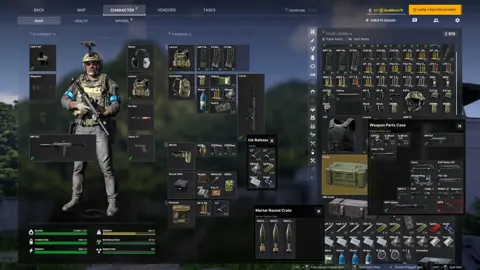
Gray Zone Warfare Steam Charts: Rogue Ops Population
Track Gray Zone Warfare steam charts, compare player counts and peaks, and see how Rogue Ops changes the outlook for returning squads and new players.
Continue exploring
Gray Zone Warfare Roadmap: Rogue Ops and What's Next
Explore the Gray Zone Warfare roadmap after Rogue Ops: Update 0.5 features, Hideout upgrades, progression changes, and plans for your next deployment.
Gray Zone Warfare Wipe 2026: What Resets in Rogue Ops
Searching for Gray Zone Warfare wipe 2026? See what Rogue Ops resets, which progress you keep, how mode transfers work, and how to rebuild your operation.
Join the community
Official channels for news, updates and player help: