Gray Zone Warfare Server Status: Downtime and Fixes
Check Gray Zone Warfare server status, understand maintenance and queue errors, and learn when a hotfix needs a download before trying to reconnect again.
Jump to
Are Gray Zone Warfare Servers Down?
A failed deployment is frustrating, but checking Gray Zone Warfare server status helps you decide whether to wait for maintenance or check for an update. Connection failures have affected both frozen servers and players reaching the end of a queue, so the symptom matters. Check Gray Zone Warfare server status alongside the latest maintenance message before spending your session trying to solve the wrong problem.
A failed connection alone does not tell you whether the game is experiencing scheduled downtime, a server freeze, or a queue-related error. Match what happened on your screen to the maintenance window and the relevant hotfix.
Backend Hotfix 0.5.0.1 addressed a specific problem: players could finish waiting in the queue and still fail to connect. That update required no download. Separately, Hotfix 0.5.0.0 (1) addressed frozen servers on the supporters-preview branch and required a downloadable update.
Those distinctions give you a useful starting point:
| What happened | Relevant fix or maintenance behavior | Scope |
|---|---|---|
| New connections stopped before maintenance | A shutdown process blocked new joins ahead of downtime | April 6, 2026 maintenance |
| Servers froze and produced network errors | Hotfix 0.5.0.0 (1) addressed server freezes | Supporters-preview branch |
| Connection failed after waiting in a queue | Backend Hotfix 0.5.0.1 addressed this failure | Backend update; no download |
| Some players could not connect | A September 5, 2025 server fix addressed connection failures | Server-side update; no download |
Read these as distinct incidents. An older maintenance schedule does not become today's schedule, and a preview hotfix applies to the branch named in its announcement.
When checking status, look for the maintenance date, affected branch, download requirement, and any follow-up about reopening. These details are more useful than a standalone “servers down” message without context.
Official page: Gray Zone Warfare (grayzonewarfare.com)
How Maintenance Affects Server Availability
Maintenance can affect your ability to join before the full downtime window starts. That matters if you see other players still connected while your own attempt to enter fails.
 Image: Steam / MADFINGER Games, a.s.
The April 6, 2026 maintenance schedule illustrates the difference. New joins stopped at 6:00 a.m. EDT, while the scheduled downtime began at 6:30 a.m. EDT. The planned maintenance window ended at 7:00 a.m. EDT.
| Maintenance stage | EDT | CEST | What it meant for players |
|---|---|---|---|
| Shutdown process began | 6:00 a.m. | 12:00 p.m. | New players could no longer join |
| Scheduled downtime began | 6:30 a.m. | 12:30 p.m. | Servers entered the maintenance window |
| Scheduled downtime ended | 7:00 a.m. | 1:00 p.m. | Planned end of the maintenance window |
That schedule included a period when new connections were blocked before the downtime window began. A failed join during that shutdown period fit the maintenance plan.
Use the date attached to a maintenance notice. The April window is a historical example, not a recurring daily shutdown. Keep EDT and CEST attached to their respective times when reading that notice, too.
For your next Gray Zone Warfare server status check, separate these questions:
- Has the shutdown process started?
- Has the scheduled downtime begun?
- Has the developer posted a maintenance-completion message?
- Does the update require a download?
If a shutdown is underway, wait for maintenance to finish before attempting to join again. Use the announced end time to plan your next check, then look for a completion message before organizing your squad around it.
The April hotfix was entirely server-side. There was no client update to download during that maintenance, so waiting for a Steam download would not have helped you track its progress.
Server Freezes and Queue Errors Are Different Problems
“Unable to connect” describes an outcome. It does not identify the point where the connection failed.
 Image: Steam / MADFINGER Games, a.s.
Gray Zone Warfare has received fixes for at least two distinct connection problems around version 0.5: servers freezing and connections failing after a queue. Keeping those separate makes troubleshooting more focused and gives support a clearer description if the problem persists.
Frozen Servers and Network Errors
For players checking Gray Zone Warfare server status, Hotfix 0.5.0.0 (1) addressed an issue that caused some servers to freeze. Those freezes produced network errors and left players unable to connect.
That hotfix was deployed to the supporters-preview branch. If you were playing that preview and the update did not appear automatically, the instruction was to restart Steam to trigger the download.
Keep that branch limitation attached to the fix. The preview download instruction belongs to that release; it is not a requirement to switch branches whenever a connection fails.
When describing this symptom, distinguish a displayed network error from a menu that stopped responding. Both can interrupt a session, but they give support different information.
Failed Connections After a Queue
Backend Hotfix 0.5.0.1 addressed players failing to connect after waiting in the queue. It required no download.
That makes the point of failure especially useful. “I reached the end of the queue and then could not connect” describes the issue more precisely than “the game is down.”
Record whether the failure happened:
- Before you entered a queue.
- After waiting in the queue.
- Alongside a displayed network error.
- During an announced shutdown period.
These are details to include in a report, rather than interchangeable explanations for the same error.
For Gray Zone Warfare server status troubleshooting, match the exact symptom before choosing your next action. If maintenance is underway, wait for reopening. If an applicable preview update is missing, follow its Steam restart instruction. If a backend fix is already deployed and the queue failure continues, report that specific sequence.
Avoid treating a queue-related failure as proof that every server is unavailable. The hotfix addressed a connection problem at a particular stage of joining.
Do You Need to Download a Server Hotfix?
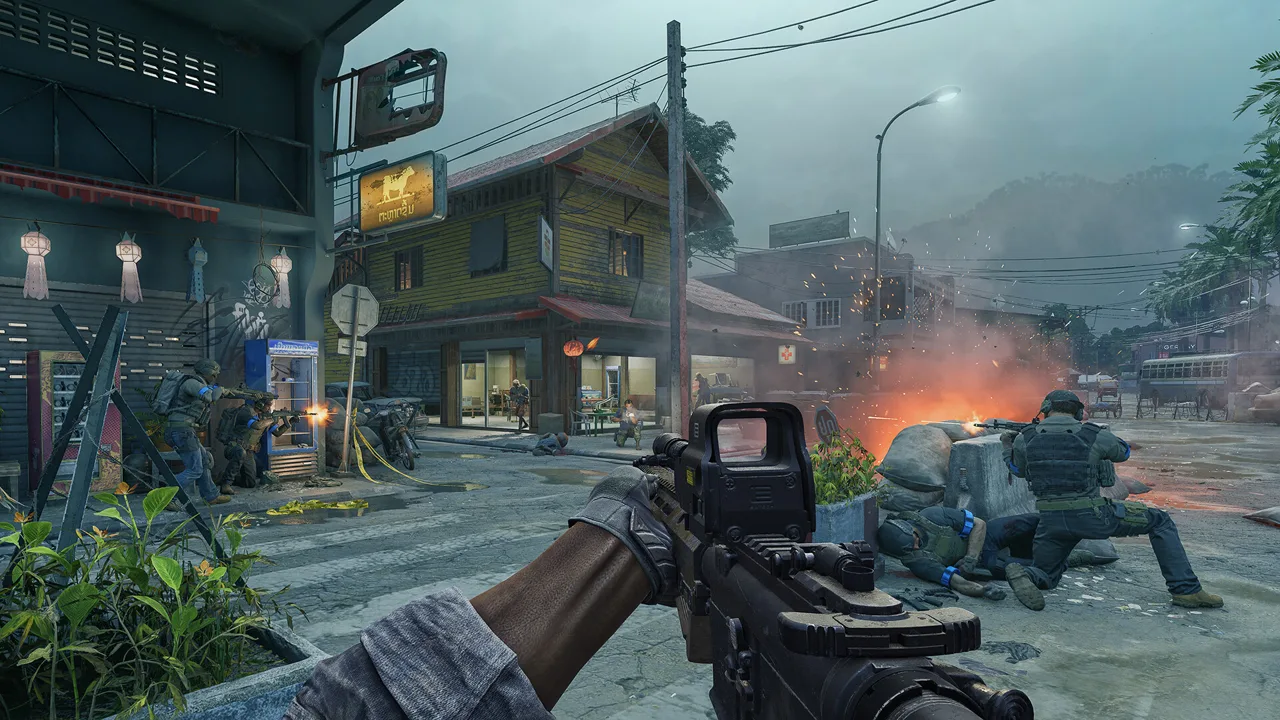 Image: Steam / MADFINGER Games, a.s.
Some Gray Zone Warfare fixes require a download, while others are applied entirely on the backend. The word “hotfix” by itself does not tell you which action to take.
Several server updates explicitly required no download. The September 5, 2025 connection fix was server-side, as was the April 6, 2026 maintenance hotfix. Backend Hotfix 0.5.0.1 also required no download.
The supporters-preview Hotfix 0.5.0.0 (1) had different instructions: restart Steam if the update did not appear automatically.
| Update | Issue addressed | Download guidance |
|---|---|---|
| Backend Hotfix 0.5.0.1 | Failed connections after waiting in a queue | No download required |
| Hotfix 0.5.0.0 (1), supporters-preview branch | Frozen servers causing network errors and connection failures | Restart Steam if the download does not appear |
| April 6, 2026 server hotfix | Server issues requiring scheduled downtime | No download required |
| September 5, 2025 server fix | An issue preventing some players from connecting | No download required |
Check the update name and branch before looking for a download. A missing download is expected when the patch is server-side.
Also, read the issue being fixed. Another update titled “Server Fix Now Live” addressed a tutorial problem that locked the user interface. Its server-side delivery did not make it a fix for every connection problem.
That distinction helps when reviewing Gray Zone Warfare server status after an update. A patch title tells you that something changed; its changelog tells you whether that change addresses the problem interrupting your session.
For a downloadable preview hotfix, follow the stated restart instruction. For a backend-only update, focus on maintenance completion and whether the same connection failure continues afterward.
What to Include When Connection Problems Continue
If the same failure continues after maintenance or the applicable fix, send the support team a report that explains exactly where joining breaks down.
Start with the sequence of events. Describe whether you selected a server and immediately received an error, waited through a queue before failing, or encountered a frozen interface. Include the displayed message rather than replacing it with a general description.
Keep the report focused on the connection problem:
| Detail to include | What to describe |
|---|---|
| Failure stage | Before joining, after waiting in a queue, or following a freeze |
| Error message | The wording displayed on your screen |
| Game branch | Whether you were using the supporters-preview branch |
| Update context | The relevant hotfix and whether its download appeared |
| Maintenance timing | Whether the failure occurred during an announced shutdown |
These details connect your experience to the problems already addressed by the server and backend fixes. They also keep a network error separate from an interface lock.
For example, a useful report could explain that the queue finished, the connection failed, and the same sequence continued after Backend Hotfix 0.5.0.1. Add your actual error wording and timing. Do not substitute another player's error message for your own.
If the interface became unresponsive instead, say what you were doing immediately beforehand. The tutorial interface lock and the preview issue involving skipping the prologue were separate fixes from the queue connection problem.
Report persistent connection issues to the MADFINGER Games support team.
Before your next attempt, make one final Gray Zone Warfare server status check: confirm whether maintenance has ended and whether your branch needs an update. Then retry with the relevant change in place. If joining still fails, you will have a clear sequence to report instead of a collection of unrelated troubleshooting attempts.
FAQ
Where Should I Check Gray Zone Warfare Server Status?
Check the developer's current maintenance and hotfix announcements. Read the date, shutdown time, downtime window, affected branch, and download instructions together. An older maintenance post describes that particular incident, so use the current announcement when deciding when to reconnect.
Why Can I Finish the Queue and Still Fail to Connect?
Gray Zone Warfare had a queue-related connection issue addressed by Backend Hotfix 0.5.0.1. Players could wait through the queue and then fail to enter a server. The fix required no download. If that sequence continues, include the queue completion and subsequent error in your support report.
Do Server Fixes Always Require a Steam Update?
No. Backend Hotfix 0.5.0.1 and several earlier server fixes required no download. Hotfix 0.5.0.0 (1) for the supporters-preview branch did involve a download, with instructions to restart Steam if it did not appear automatically. Follow the instructions for the specific update and branch.
Why Can Servers Stop Accepting Players Before Downtime Starts?
The shutdown process can block new joins ahead of the maintenance window. During the April 6, 2026 maintenance, new connections stopped at 6:00 a.m. EDT, while downtime was scheduled for 6:30–7:00 a.m. EDT. Check both the shutdown time and downtime time when planning to join.
Continue with
 Gray Zone Warfare Best Video Settings for FPS: 0.5 GuideGray Zone Warfare best video settings for fps, clearer targets, and smoother combat. Tune upscaling, shadows, and textures for the Rogue Ops 0.5 update.
More in PC Support
Gray Zone Warfare Controller Support: PC Input Guide
Gray Zone Warfare controller support explained for PC: learn the native input limits, Steam mapping tradeoffs, and what Rogue Ops changes before you play.
Gray Zone Warfare Keeps Crashing? Fixes for Update 0.5
Fix Gray Zone Warfare crashes with GPU crash dump fixes, driver settings, and shader cache checks. Change one thing at a time and test stability.
Continue exploring
Gray Zone Warfare 0.5 Release Date: Rogue Ops Is Live
Gray Zone Warfare 0.5 release date was October 22. Explore Rogue Ops, the soft wipe, Hideout crafting, new weapons, and the latest backend hotfix details.
Gray Zone Warfare Steam Charts: Rogue Ops Population
Track Gray Zone Warfare steam charts, compare player counts and peaks, and see how Rogue Ops changes the outlook for returning squads and new players.
Join the community
Official channels for news, updates and player help: